Moon
The Moon integrationIntegrations connect and integrate Home Assistant with your devices, services, and more. [Learn more] adds a sensor to Home Assistant that tells you the current phase of the moon, from new moon to full moon and back again.
It works out the phase on your own system from the current date, so it needs no account, no API key, and no internet connection. Show the moon phase on a dashboard, or use it as a condition in your automations, for example to only run a garden light scene on the night of a full moon.
Configuration
Configuration
To add the Moon service to your Home Assistant instance, use this My button:

If the above My button doesn’t work, you can also perform the following steps manually:
-
Browse to your Home Assistant instance.
-
In the bottom right corner, select the
Add Integration button. -
From the list, select Moon.
-
Follow the instructions on screen to complete the setup.
There is nothing to set up. The Moon integration has no options, and you can add it only once.
Supported functionality
Sensor
The integration provides a single Phase sensor. It reports the current moon phase as one of eight values:
- New moon: The moon sits between the Earth and the Sun and is not visible.
- Waxing crescent: A thin sliver of light that grows each night.
- First quarter: Half of the moon is lit, and the lit part is growing.
- Waxing gibbous: More than half is lit and still growing toward full.
- Full moon: The whole face of the moon is lit.
- Waning gibbous: More than half is lit, but the lit part is shrinking.
- Last quarter: Half of the moon is lit, and the lit part is shrinking.
- Waning crescent: A thin sliver of light that shrinks toward the next new moon.
The sensor shows a matching moon icon for each phase, so you can recognize the current phase at a glance.
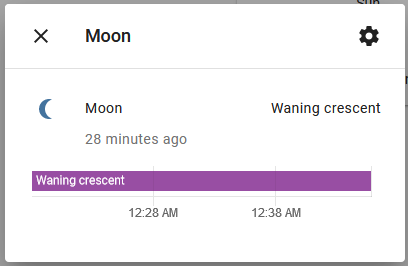 The more info dialog showing the current moon phase.
Data updates
The phase is calculated on your own system from the current date, so no data is fetched from the internet. Home Assistant recalculates it as the date advances, so the sensor changes at most once per day.
Known limitations
- The phase is based on the date only. The sensor does not report the exact percentage of illumination, moonrise and moonset times, or how the moon looks from your specific location or hemisphere.
Removing the integration
This integration follows standard integration removal. No extra steps are required.
To remove an integration instance from Home Assistant
- Go to Settings > Devices & services and select the integration card.
- From the list of devices, select the integration instance you want to remove.
- Next to the entry, select the three dots
menu. Then, select Delete.